旅の軌跡を、
美しい一枚に。
Your journey,
captured beautifully.
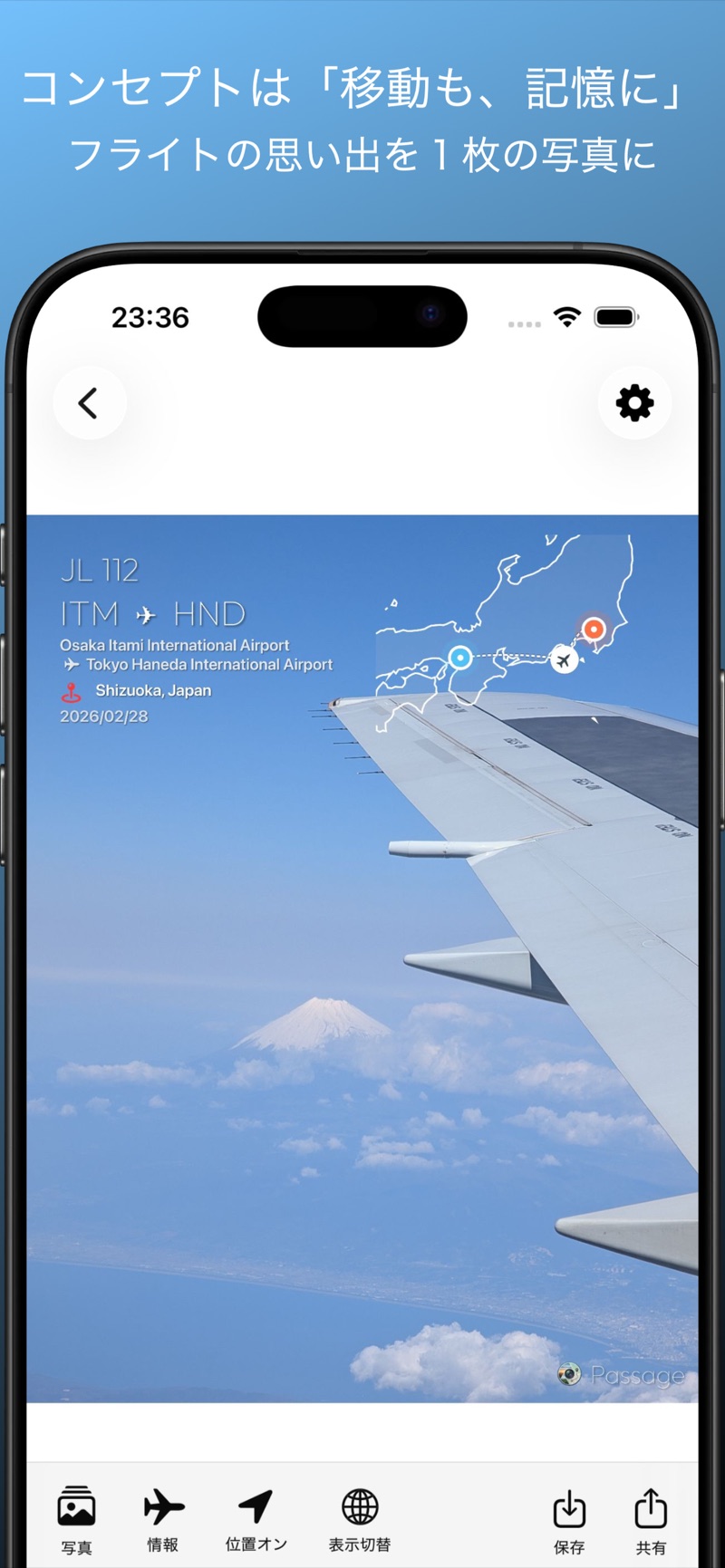
Passage(パッセージ)は、あなたの旅の写真にフライト情報や移動ルートを美しくオーバーレイするアプリです。位置情報を読み取り、空の路、陸の路を記録します。 Passage is an app that beautifully overlays flight info and routes onto your travel photos. It captures your path through the sky & the ground based on GPS data.


主な機能 Key Features
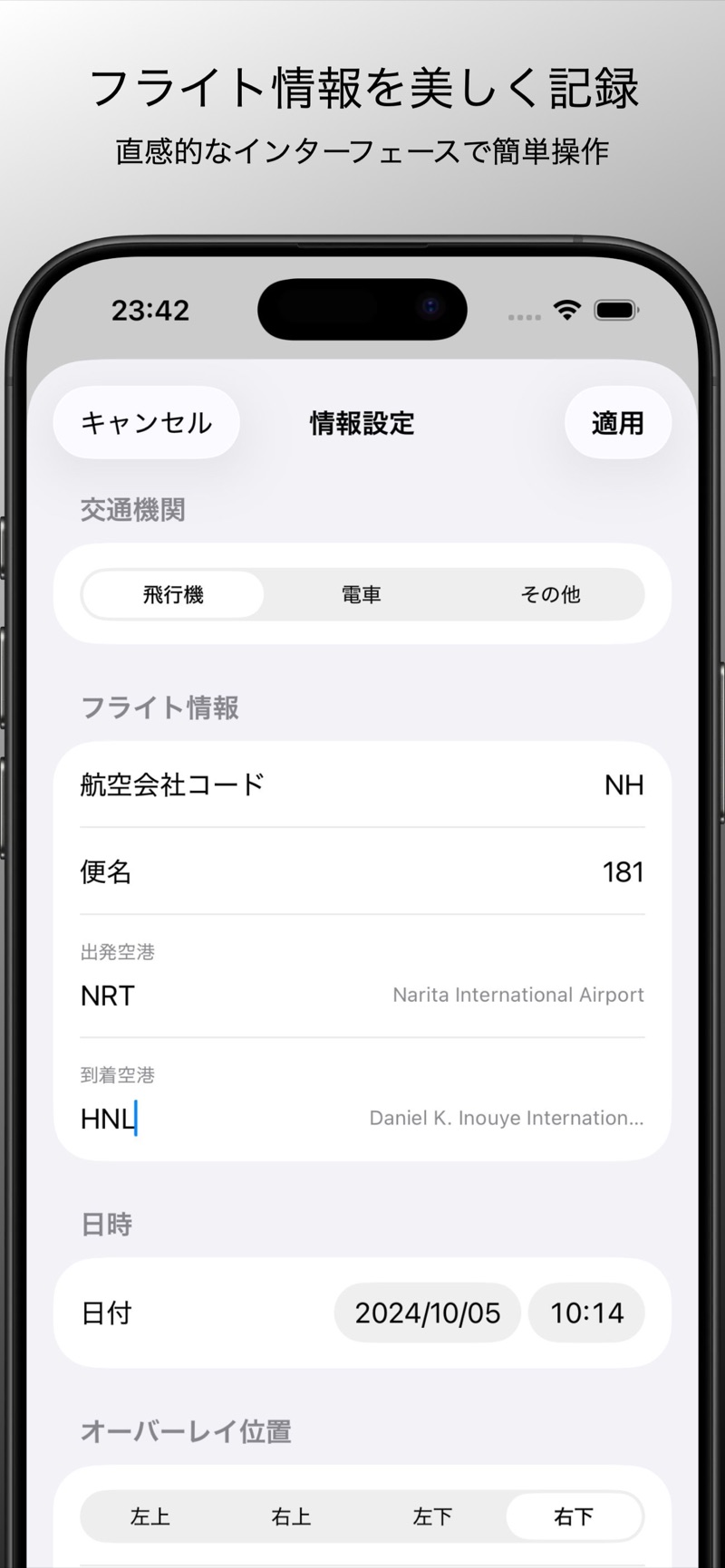
フライト詳細を記録 Track Flight Details
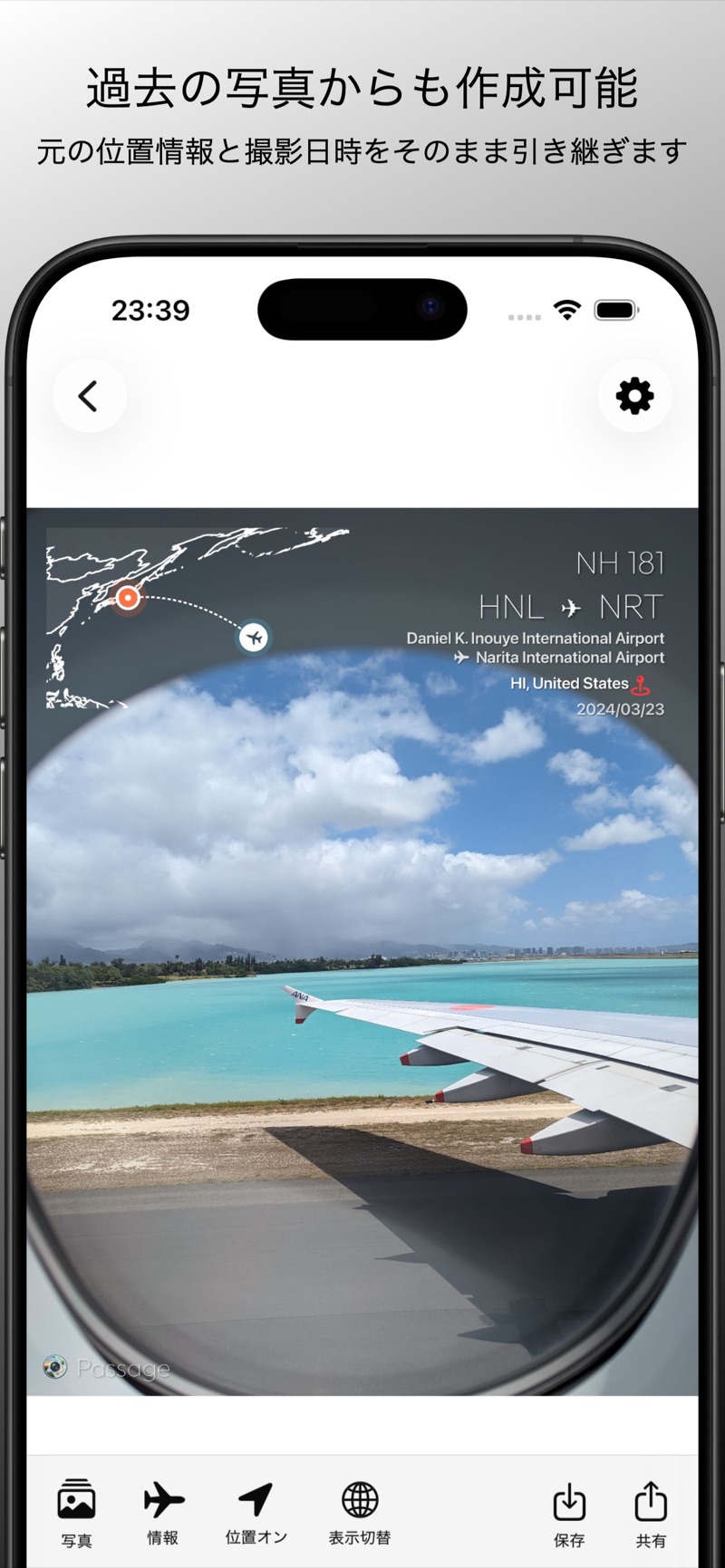
出発/到着空港、航空会社など、空の旅の重要なデータを写真にオーバーレイします。 Overlay airports, airline info, and other vital flight data onto your photos.
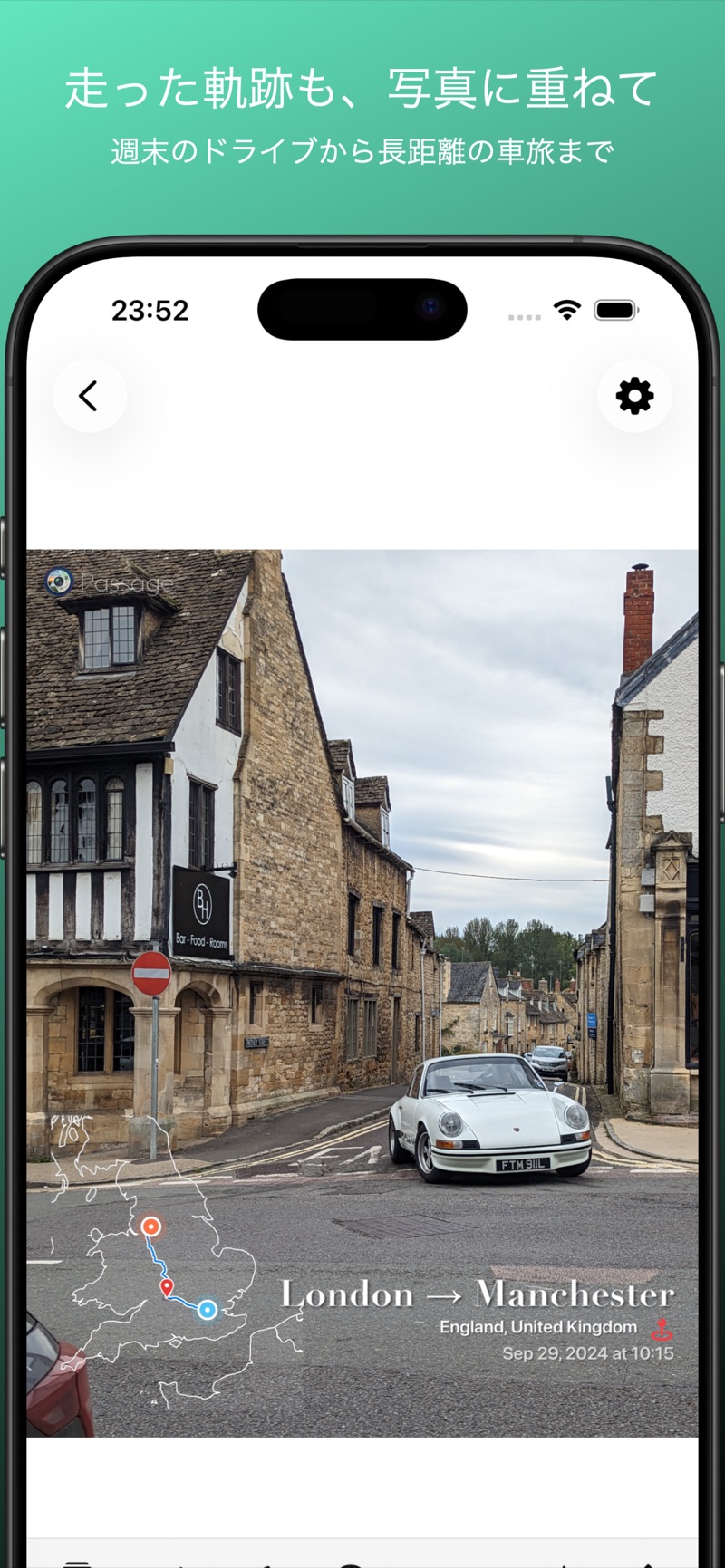
精密なルートマップ Precise Route Maps
内蔵された地図データを使用して、写真が撮られた瞬間の位置と移動経路を描画します。車での移動やドライブの走行軌跡の描画にも対応。 Draws your location and journey the moment the photo was taken using built-in maps. Also supports drawing driving routes and road trips.
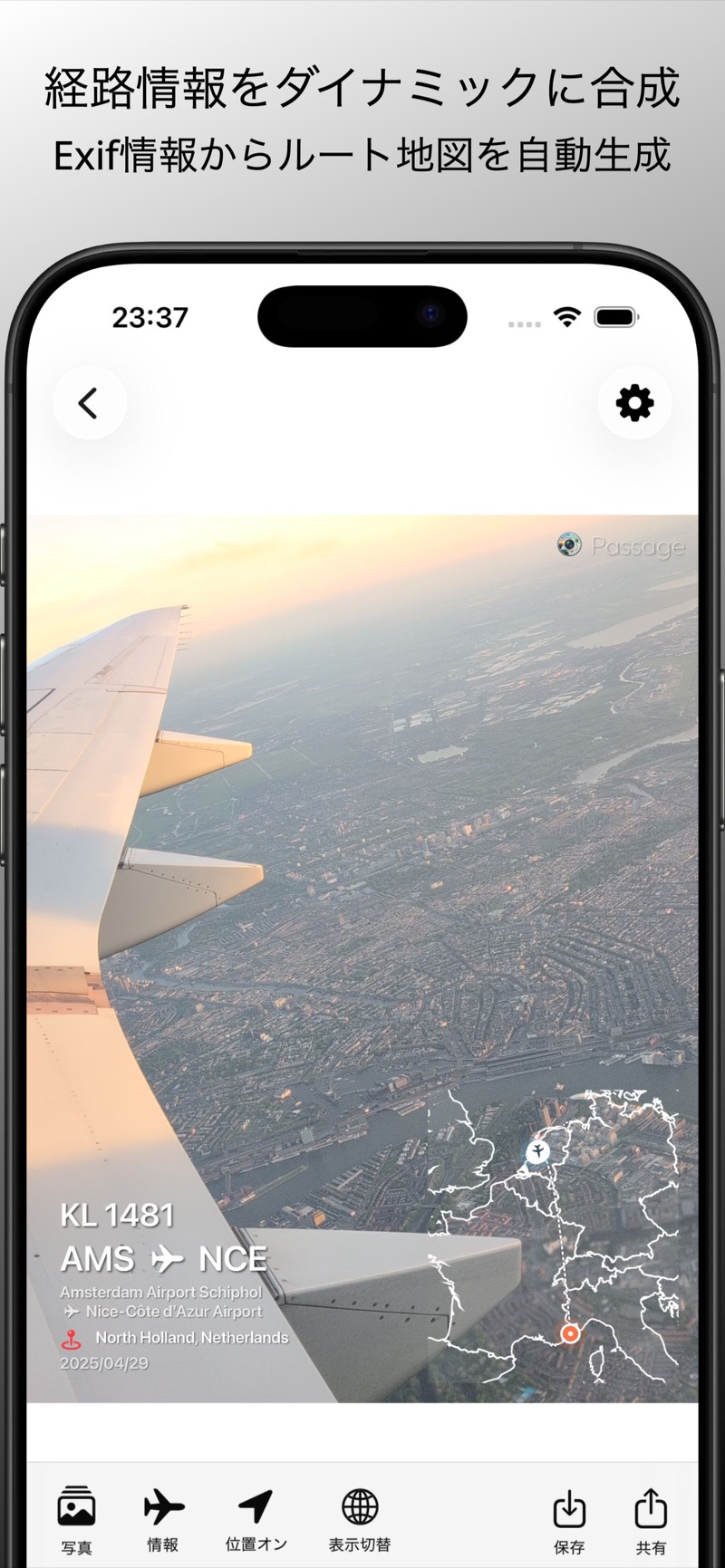
EXIF情報の自動解析 Auto EXIF Analysis
写真に含まれる位置情報と撮影日時から、最適な移動情報を自動的に抽出します。過去に撮った写真からでも作成できます。 Automatically extracts movement data from your photos' GPS and timestamp. Works even with photos you took long ago.
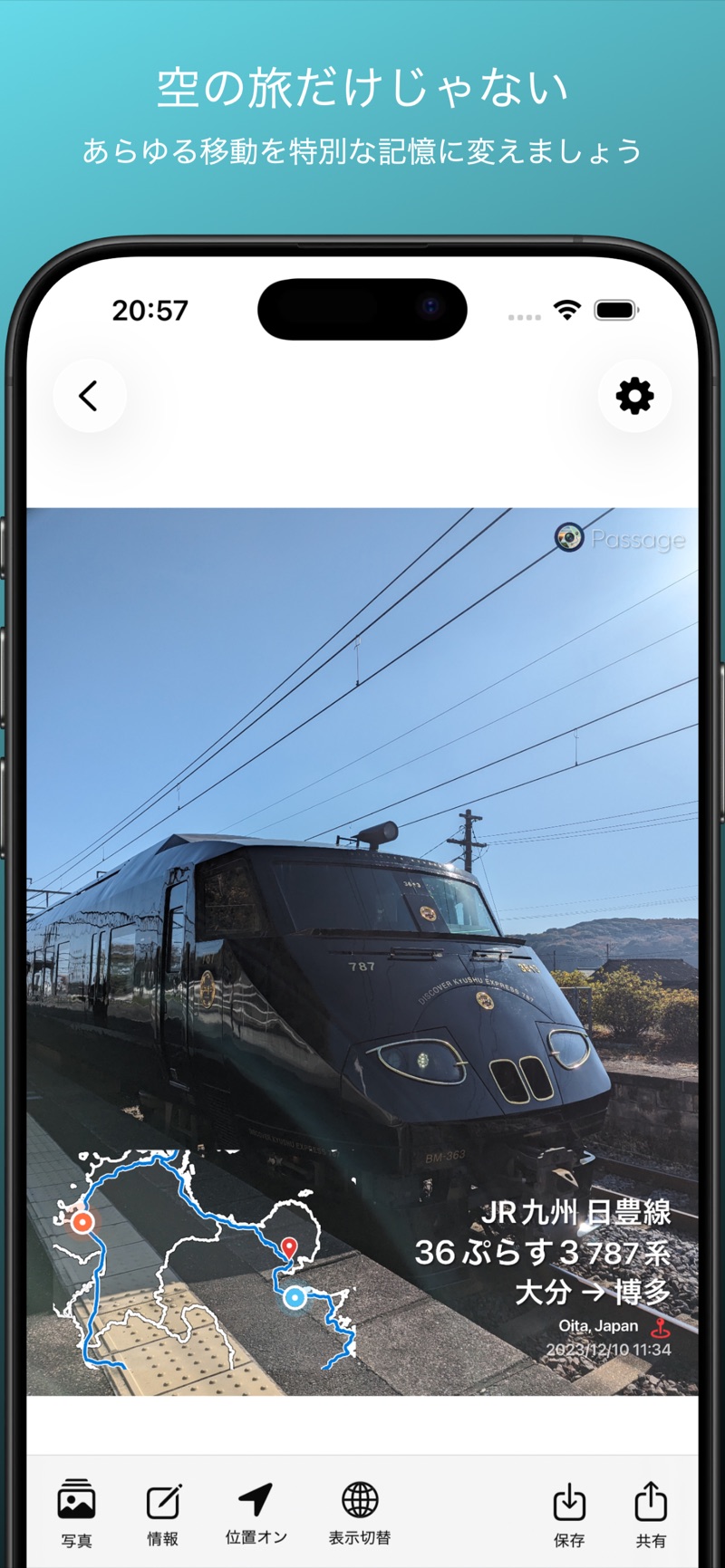
列車・交通機関対応 Trains & Transit
飛行機だけでなく、新幹線や電車など、様々な交通機関での旅にも対応しています。 Works with flights, Shinkansen, trains, and various modes of transportation.
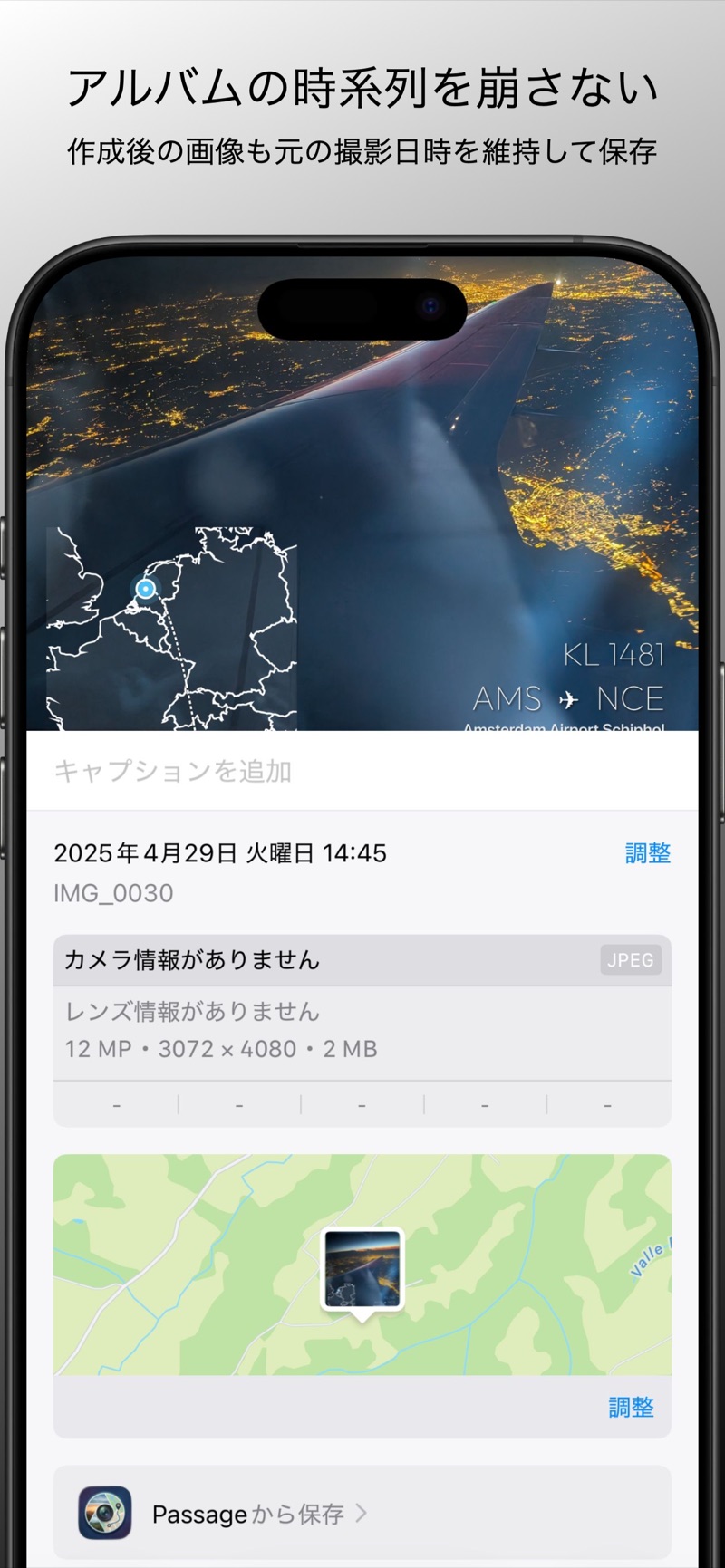
撮影日時をそのまま保持 Keeps Original Timestamps
作成した画像も元の撮影日時を引き継いで保存されるので、アルバムの時系列が崩れません。 Exported photos keep their original capture date, so your album timeline stays intact.
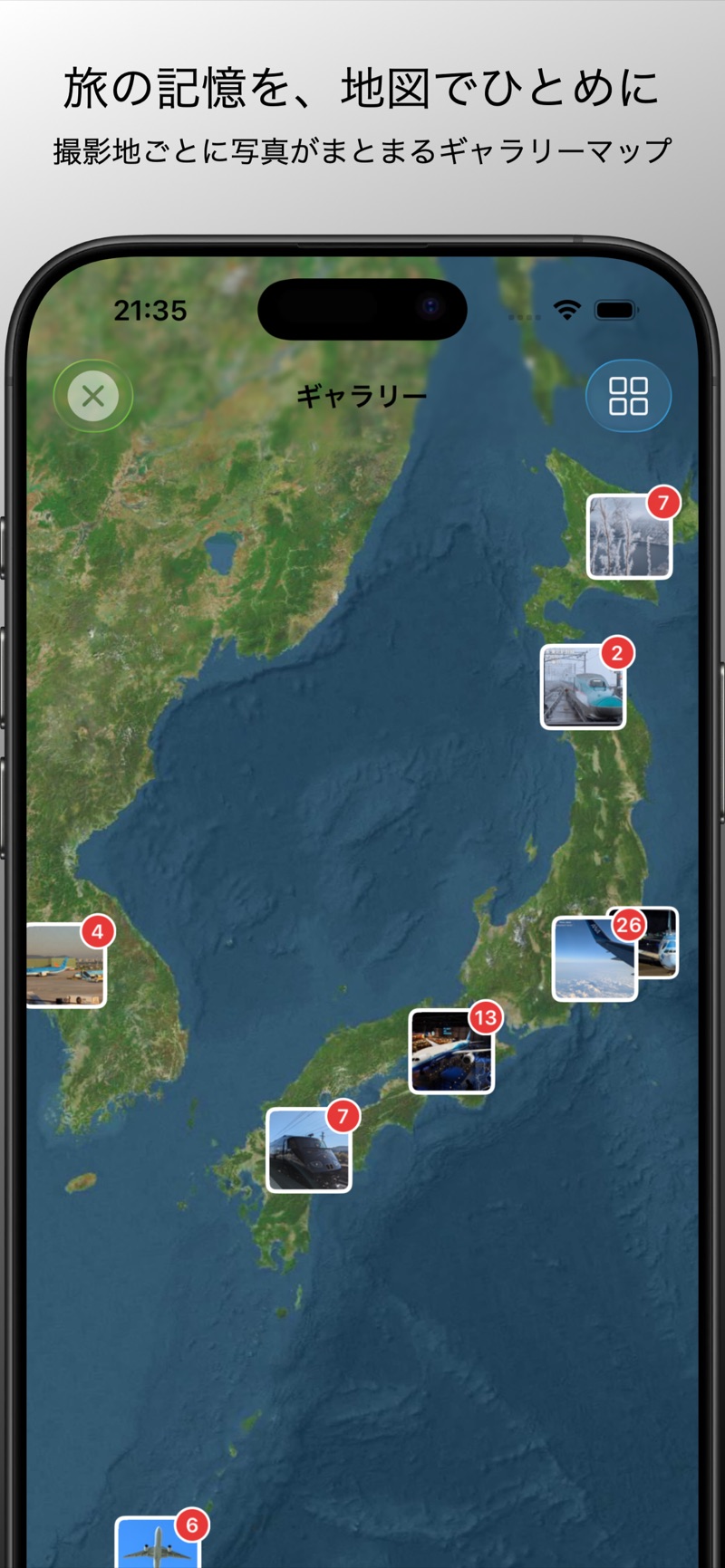
ギャラリーマップ Gallery Map
撮影地ごとに写真が地図上にまとまり、旅の記憶をひとめで見渡せます。 Photos are grouped by location on a map, so you can see your travel memories at a glance.
ギャラリー Gallery
Passage Plus
もっと自由に、もっと美しく。 More freedom, more beauty.
プレミアムフォント Premium Fonts
iOS内蔵の上質な7書体でオーバーレイを自分好みにスタイリング。 Style overlays with 7 premium iOS fonts.
クロップ&白フレーム Crop & White Frame
SNS投稿に映える余白フレーム付きでエクスポートできます。 Export with clean white borders, perfect for social media.
パス Passes
1年パスなど期間パス制。価格はアプリ内でご確認ください。 Term passes including a 1-year pass. See pricing in the app.
関連ツール Companion Tools
Passage が一枚の写真に一回の移動を刻むアプリなら、こちらは移動の全体像を眺めるためのウェブツールです。アプリの機能とは独立していて、ブラウザだけで動きます。 Passage engraves one journey onto one photo. This is the opposite view — the whole shape of where you've been. It's separate from the app's features and runs entirely in your browser.
Timeline Visualizer
Google マップのロケーション履歴をエクスポートした JSON を読み込むと、貯まっていた移動が、移動手段ごとに色分けされた地図と再生アニメーションで浮かび上がります。新しく記録するものではなく、すでにある履歴を振り返るためのツールです。選んだファイルの中身は端末の中だけで処理され、外部に送信されません。 Load the location history you exported from Google Maps, and the travel you had already accumulated surfaces as a map — color-coded by mode of transport, with a playback animation. It records nothing new; it is for looking back over history you already have. Your file is processed entirely on your device and never uploaded.
Timeline Visualizer を開く → Open Timeline Visualizer →地図で見つけた「あの旅」の写真は、Passage で一枚に仕上げられます。 Spot a trip worth revisiting? Passage turns its photos into a single frame.
#Passage で共有しよう Share with #Passage
あなたの旅の一枚を #Passage をつけて投稿してください。素敵な投稿はこちらで紹介します。 Post your travel photos with #Passage — we'll feature our favorite posts here.
こだわり抜かれたデザイン Exquisite Design
シンプルでありながら、旅の高揚感を損なわない洗練されたデザイン。あなたの最高の一枚を、より特別なものに変えます。 A sophisticated design that enhances your travel stories. Elevate your best shots into something truly special.